General Page
IBM Navigator for i is the modern web-based interface for IBM i access, management, and monitoring. Navigator for i provides a full range of system management, performance analysis features, and monitoring capabilities for IBM i. Using new modern graphical user interface technology combined with the power of SQL Services, maintaining your IBM i has never been easier!
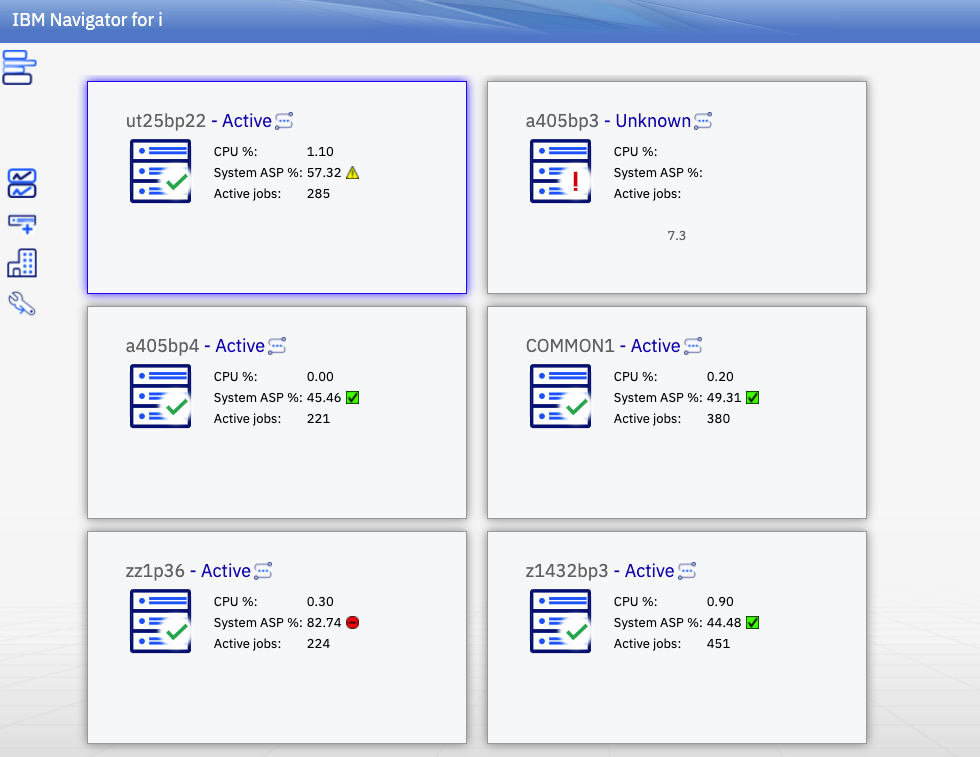
Navigator for i is designed to provide a single pane for you to see and organize all the IBM i nodes in your shop. This multi-system approach has many advantages such as:
- Easy ability to switch between nodes
- End-to-End secure connection
- Monitor multiple systems in a single graphical view
Individual system tasks include some of the following:
- My work
- System and Message Monitors
- Licensing support
- Work management
- Configuration and service
- Network
- Exit programs
- Security
- Users and groups
- EIM Configuration
- File Share Management
- Performance
- Authority Collection
- Locked IFS Objects
- TCP/IP Servers Configuration
- System Status
Optional products such as Content Manager OnDemand, are readily available and automatically “plugged in” when installed.
To access the web console, open a web browser and point it to your IBM i system (port 2001). See IBM Navigator for i.
Overview
- IBM Navigator for i can manage all the IBM i end-point nodes in your ecosystem.
- Use the latest versions of modern popular browsers (Firefox, Chrome, Safari and others).
- It is included as part of the base operating system - option 3 (5770SS1 0003).
- A list of installed product requirements can be found under Product Install Requirements.
What is included?
- It includes all web-enabled functions of Navigator for i, organized into task categories.
- Jobs, messages, system values, users, file systems, security, performance, integrated file system, PTFs, monitors...
- In addition, functions from the following LPPs will be available in the console when the LPPs are installed:
- IBM Performance Tools for i (Manager feature) 5770PT1 option 1
- IBM performance tools for i (JobWatcher) 5770PT1 option 3
- IBM Content Manager OnDemand for i 5770RD1
What isn't included?
- Run SQL - Available in Access Client Solutions
- Visual explain - Available in Access Client Solutions
- Database navigator - Available in Access Client Solutions
Plug-ins
- Performance tools for IBM i
The performance task available with IBM Navigator for i, allows you to manage and view Collection Services, Job Watcher, Disk Watcher, Batch Model, Performance Explorer, and Historical performance data unique to IBM i.
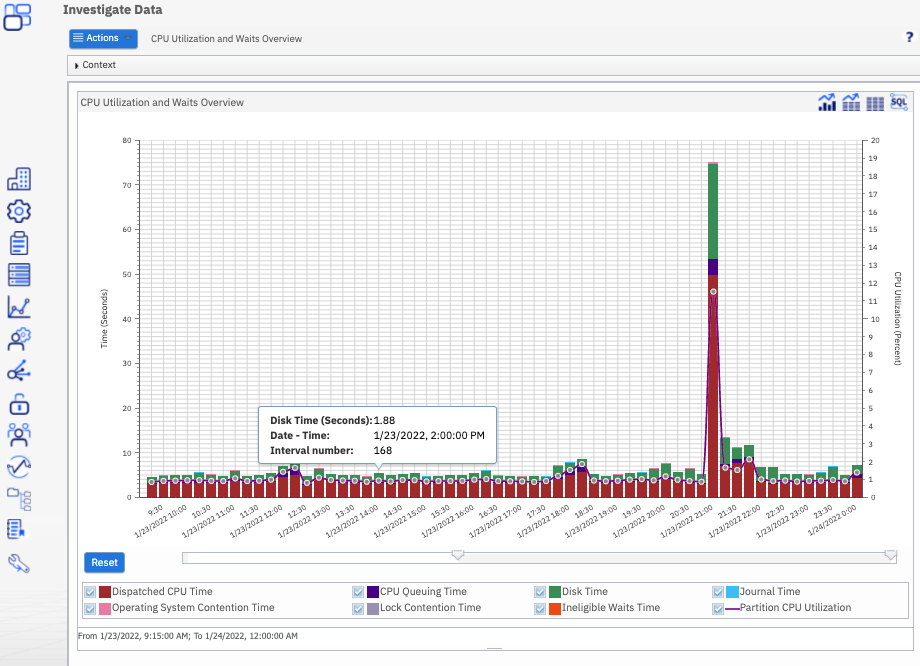
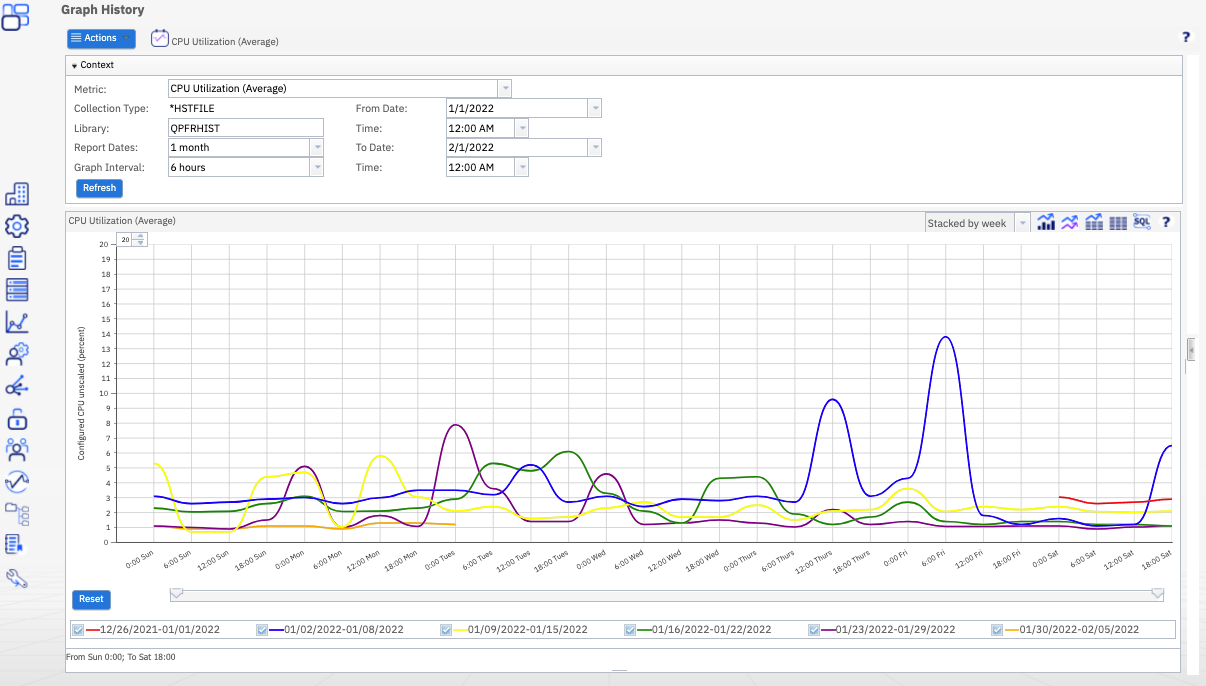
The power of Performance Data Investigator provides you tools to summarize data into reports, create graphs to show trends, and dig deep into performance data to analyze the details of your system.
Performance Data Investigator (PDI) displays performance metrics graphically over a selected interval of time. Detail views allow you to see detailed performance data for the selected time interval in a variety of ways. To analyze your system performance, you can view job data, subsystem data, pool data, disk unit data, and much more.
Performing analysis, modeling, detailed reports, and graphical views of IBM i servers provides insight to how servers are performing, and understanding how changes affect the ability to conduct daily business.
- Content Manager OnDemand for i
Provides a highly reliable, yet flexible, system to meet data archive and retrieval requirements. Key functions are described below:
- Automatic capture, archive, and management for large volumes of spooled files.
- Storage of spooled files and many other types of data to disk pools, cloud, optical, or tape media.
- Client/server access to business-related documents through the powerful, easy-to-use OnDemand client.
- Integration with mission-critical business applications to enable search, retrieval, and presentation of Content Manager OnDemand stored documents.
- Graphical report administration tools for fast and easy report definition.
Resources
Support
Related products
Was this topic helpful?
Document Information
Modified date:
12 May 2022
UID
isg3T1026869